Announcing Remaining - A New Take on Budgeting Apps
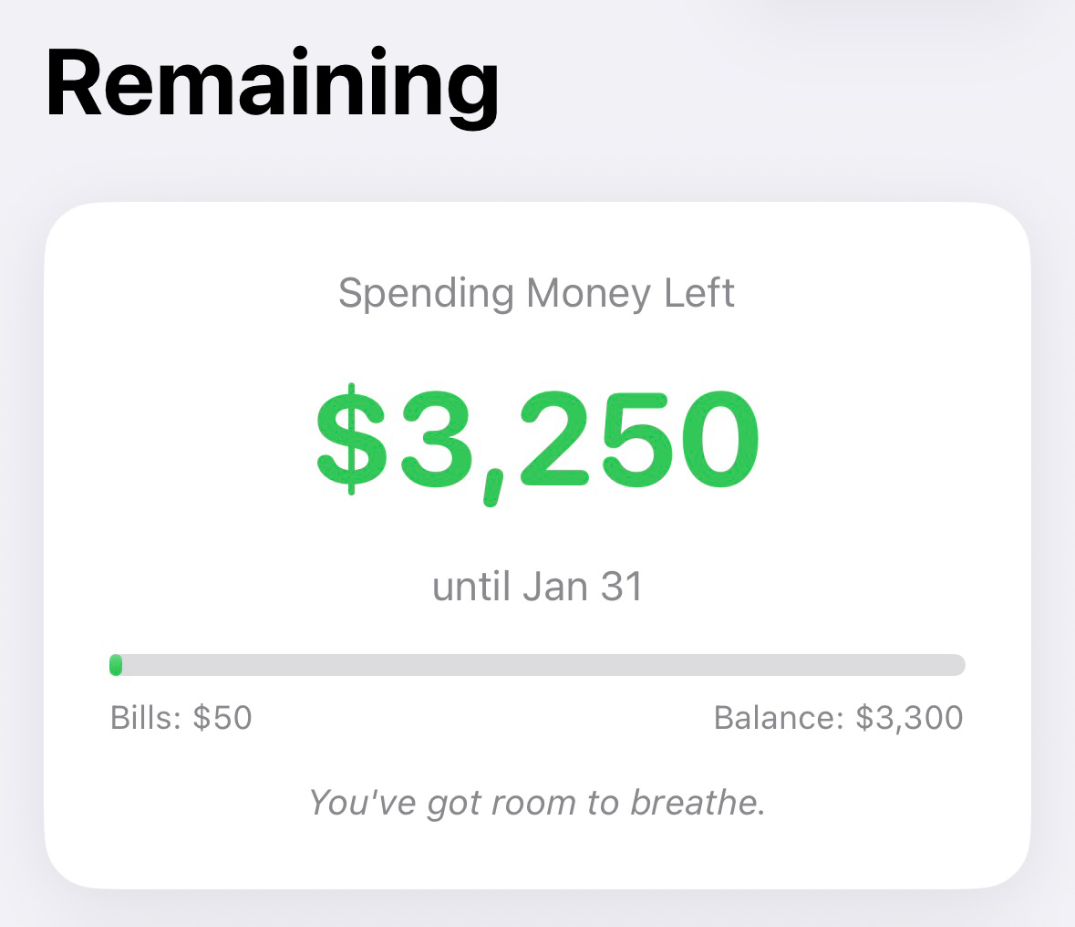
A while back I wrote about how I budget with Shortcuts on iOS. It was… fine? Reminders for bills, a Shortcut to calculate what’s left, a widget to show me the number. But it was held together with duct tape. Data Jar for storage, WidgetPack for display, a multi-step Shortcut that occasionally broke when iOS updated. It worked, but it wasn’t good.
I’d always wanted to turn it into a proper app, but I’ve always found iOS development daunting.
The iOS Development Wall #
Over the years I’ve tried to learn iOS development maybe four or five times. I’d get Xcode open, follow a tutorial, build a flashlight app or something and then hit a wall the moment I tried to do something the tutorial didn’t cover. The gap between “I completed a tutorial” and “I can build my own thing” felt enormous. Life would get busy, I’d abandon it, and the cycle would repeat a year later.
I’m not a bad programmer. I can hack together Python scripts, I’ve gotten comfortable building basic web apps, and I understand how software works. But native iOS development always felt like this gatekept world where you needed to know seventeen different frameworks and Apple’s very specific way of doing things.
Enter Claude Code #
I’d been using Claude Code for other stuff and it had already felt like magic to me. I’d built fairly complex web apps with it, building myself little dashboards to run my life or monitor my Raspberry Pi. And I’d also built a version of this app as a web app. At its core, it’s honestly a really simple app and the web app was made pretty quickly. So on a whim, I decided to see what would happen if I just asked Claude to make it an ios app. I set it about exploring the codebase to see what it could do. Ten minutes later, it finished!
I was still an xcode noob, so it took me a bit of time to figure out how to actually build and test in the simulator. And the first few builds failed, but I just pasted the build errors into Claude Code and asked it to fix them. When I didn’t like how something felt (“the payday shouldn’t be under ‘Bills’, that’s weird”), we’d talk through it and refactor. When the app felt sluggish, Claude found that it was saving to the database on every keystroke and fixed it. And maybe within two or three hours I had the app running. On my iPhone. I felt like a wizard.
Why This App Exists #
If you’ve ever tried a “real” budgeting app like Mint, YNAB, or whatever, you know the drill. Connect your bank accounts. Categorize every transaction. Set up budgets for groceries, entertainment, transportation, dining out, subscriptions, coffee shops (seriously, some of these apps have a coffee shop category). Then watch guiltily as you go $12 over your movie budget because you saw one extra film this month.
I hate this. It’s too fiddly. It turns spending money into a constant guilt-tracking exercise.
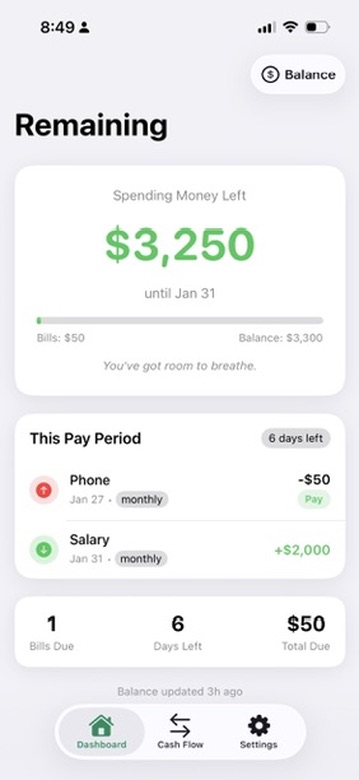
Here’s what I actually care about: How much money is in my checking account right now? What bills are coming out before my next paycheque? What’s left after that?
That’s it. That number, the remainder, is what I can spend. On anything. If I want to go out to eat five times this week and not see any movies, fine. If I want to buy something stupid on Amazon, fine. As long as I stay under that number, I’m good. The bills are paid, the savings deposits are automatic, and I don’t have to think about categories.
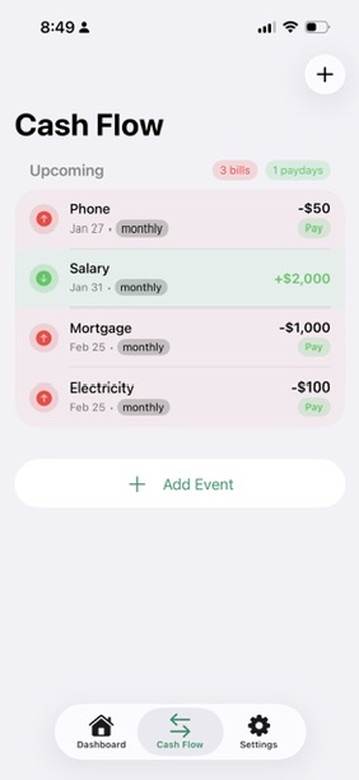
The app is called Remaining because that’s literally all it tells you: what’s remaining.
Bills show up in red (money going out), paydays in green (money coming in). You tap to mark them paid, swipe to delete or edit. That’s it.
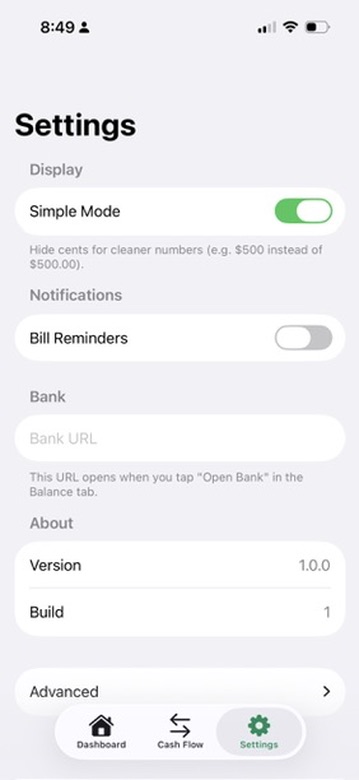
Simple Mode hides the cents because I don’t need to know I have $3,250.47. I have $3,250. Close enough.
What’s Next #
Right now I’m in testing mode. I’ve got the app running on my phone, I’m using it daily, finding little things to fix. Next step is getting some beta testers to try it out, see if the simplicity that works for me works for other people too.
Then I need to figure out pricing. Do I do subscriptions? A pro mode? Just add tips? I don’t know. I am under no illusions that this will make me a millionaire, but it would be nice if it resonated with people and brought in a little money on the side.
But honestly? Even if nobody else ever uses it, I’m thrilled. I built an iOS app. A real one, that does exactly what I want, that I’ll actually use every day. After years of bouncing off Xcode tutorials, it took one afternoon with Claude Code.
The future is weird and I’m here for it.